How to make lighting control in the Smart Home system
Lighting control in the "Smart Home" is not just turning equipment on and off. This function has rich functionality and allows you to control both light and sockets, even a person is far away. It is important to understand all the features of the system in order to choose what suits you best.
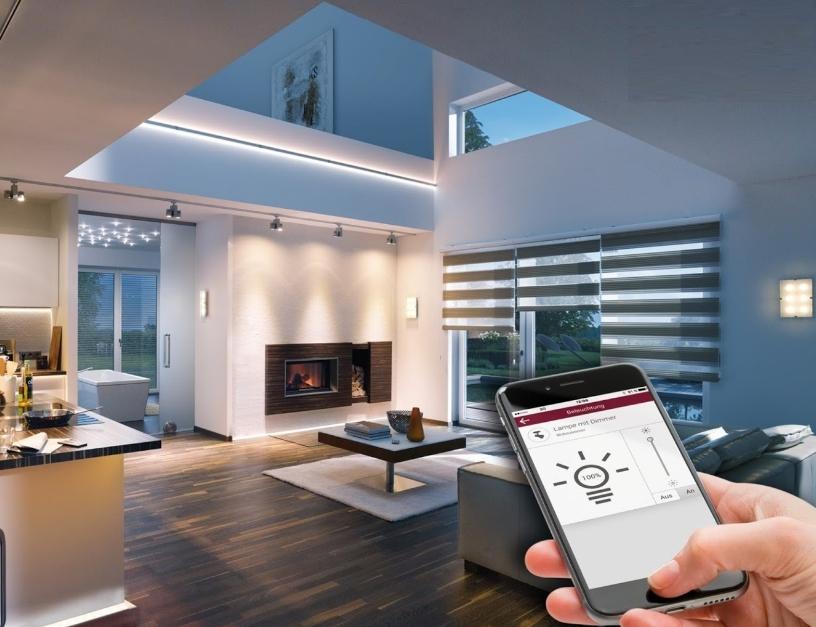
Lighting systems in the "Smart Home" - features
This control segment is called "Smart Light", it refers not only to lighting, but also to the means of its control and management. Also, sockets are often included in the system so that their operation can be controlled. The most commonly used light sources LED or fluorescent lamps - the safest and most economical to date. As for the features, they are:
- The equipment is controlled by on and off relays, microcontrollers, sound and motion sensors and other components that help regulate lighting.
- You can use all the functions separately, or you can create scenarios according to which individual groups of devices will work. This simplifies management and reduces setup time.
- You can turn elements on and off in different ways, it is easy to find an option for any user.
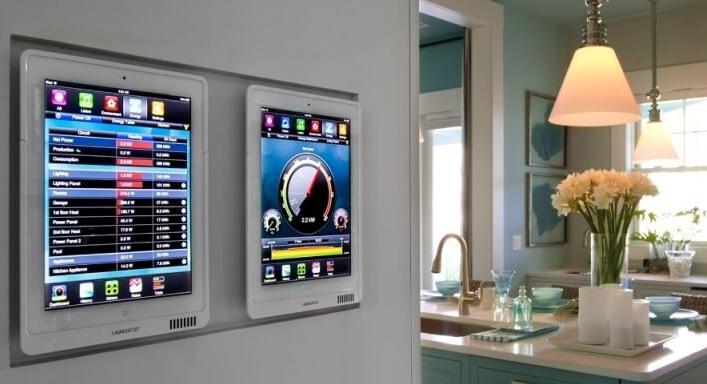
![System control panel in the house.]() System control panel in the house.
System control panel in the house. - The system not only turns the lamps on and off, but also adjusts their brightness, which allows you to adjust the light in the way that is most convenient.
- You can set up energy-saving modes to reduce power consumption and automatically turn off the lights if there is no one in the room for a long time.
- If necessary, the presence mode is activated if the tenants have left for a long time: the lights will turn on in different rooms in the evening, simulating that there is someone in the house.
- It is possible to set the light to turn on in the morning to use it as an alarm clock.
By the way! Many people note the convenience of the "turn off everything" function, when you leave the house, you can turn off the electricity supply to all lamps and sockets with one click and not think if the iron is turned off. The main thing is not to include sockets in the system that feed the refrigerator and other equipment that must work constantly.
Remote control methods
Smart light in an apartment or house is good because there are several control options and you can use the one that is more convenient at a particular point in time. That is, you do not need to choose one solution, you can apply all. The main ways are:
- The control panel for all Smart Home systems is usually located near the switchboard or in any convenient place. The touch screen has all the information and you can enter any settings or change scenarios if necessary.
- You can install the application on a smartphone or tablet and control the system remotely from anywhere in the world, the main thing is that there is an Internet connection. Different developers have their own applications, it is worth understanding the features in advance in order to quickly find the necessary controls. It is important that the application be Russified.
![How to make lighting control in the Smart Home system]() It is convenient to control the light from the tablet.
It is convenient to control the light from the tablet. - Another handy option is control from a computer or laptop, it also requires an application from the system developer, which is installed as a normal program. On the computer, it is most convenient to deal with the system, you can set the exact settings and create any scripts.

It is better to put a password on the application in a smartphone or computer in order to protect it from small children who can accidentally knock down the settings or turn off the lights.
Switch types
Smart backlight can be controlled in different ways. When choosing a kit, it is worth deciding in advance which types of switches will be used:
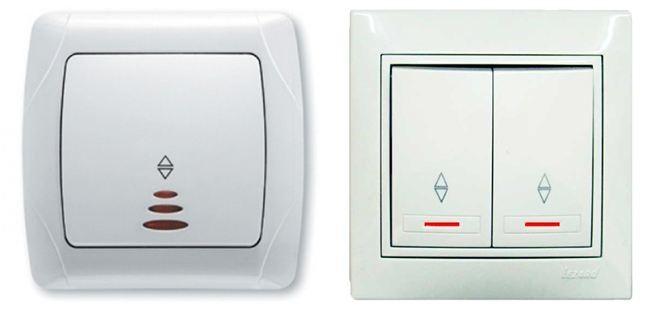
- Traditional button models. Most often they serve as a safety solution in case the system fails. They can work without a controller, which is very important. A great option is a switch by the door that cuts off electricity to all the lights and outlets in the house so you don't have to check them when you leave.
![How to make lighting control in the Smart Home system]() Classic two-gang and one-gang lighting switches.
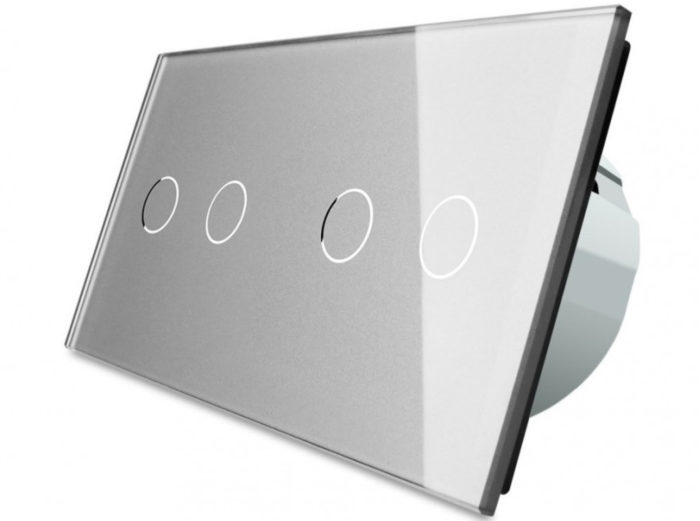
Classic two-gang and one-gang lighting switches. - Touch elements controls look unusual and turn on the lighting with the touch of a finger.A more modern solution that looks stylish and fits modern interiors. It can be either an element aimed at one action or a multi-purpose module.
![How to make lighting control in the Smart Home system]() Touch 4 key switch.
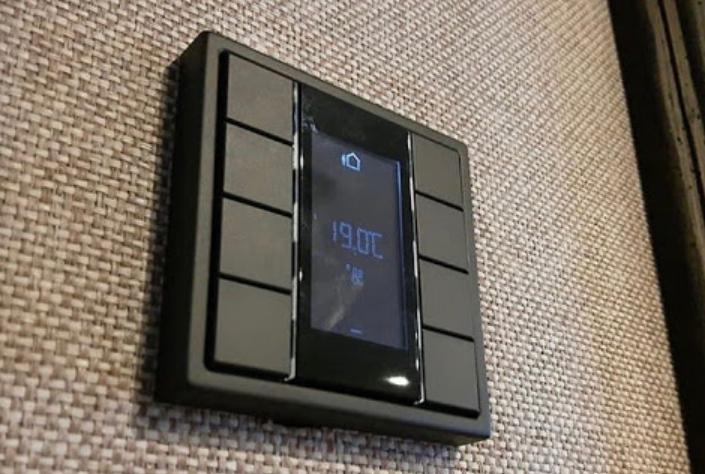
Touch 4 key switch. - KNX switches. A new solution that differs in that there are several segments on the panel and each of them launches its own lighting scenario. That is, you can program the system in advance and then do not waste time on settings. In addition, such models look unusual.
![KNX switch]() The KNX switch controls not only the light, but also other systems.
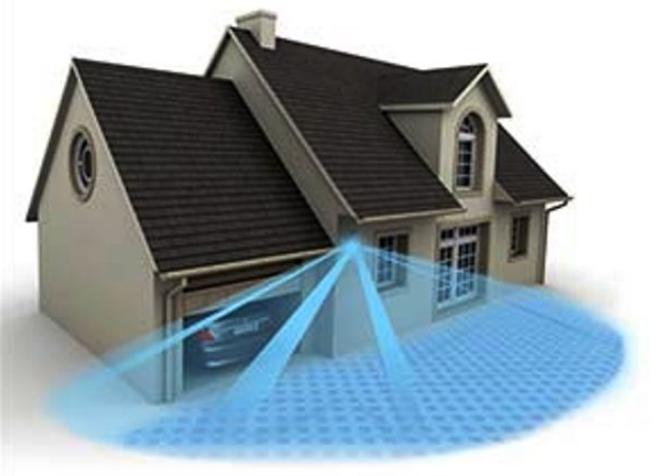
The KNX switch controls not only the light, but also other systems. - Motion and sound sensors. You can install them at the entrance to the room so that the light turns on automatically. In this case, it is not necessary to install traditional switches, which will greatly simplify installation and give the interior a more stylish look.
![2020/11/21/0026/0018/1761298/98/9f92177a60.jpg]() The motion sensor must cover exactly the part of the area that is needed to trigger the flashlight.
The motion sensor must cover exactly the part of the area that is needed to trigger the flashlight.
By the way! Switches can be either traditional - connected via wires, or autonomous. The second option works via a wireless network, which simplifies its installation, it will have to change batteries from time to time, this is the main drawback.
Outdoor automatic lighting
If you use the "Smart Home" system, the lighting can be adjusted not only in the building, but also in the surrounding area. In this case, it is necessary to consider which options will be used on the site and how they will be managed:
- The simplest solution is to install sensors on the gate and gate. When they are opened, the light will automatically turn on throughout the entire territory or only on the track, it all depends on the settings. They can be changed at your discretion, which is very convenient.
- The use of motion sensors also allows you to set the lights to turn on when a person approaches the gate or a car drives up to the gate. This is a convenient option, the main thing is to correctly set the motion sensors and adjust their sensitivity so that they do not turn on when a cat or other small animal runs past. The position of the sensor can be adjusted.
- If you need to include facade lighting or decorative area lighting, the easiest way is to use a light sensor. It will automatically turn on the lights when the lighting is below the set limit. A timer is usually used to extinguish the facade lighting at 23-24 hours.
![Manage outdoor lighting]() Controlling the lighting on the street is no more difficult than in the house.
Controlling the lighting on the street is no more difficult than in the house. - For those who travel for a long time, the option of remote control via an application on a smartphone is suitable to ensure the effect of presence and prevent intruders from entering the house.
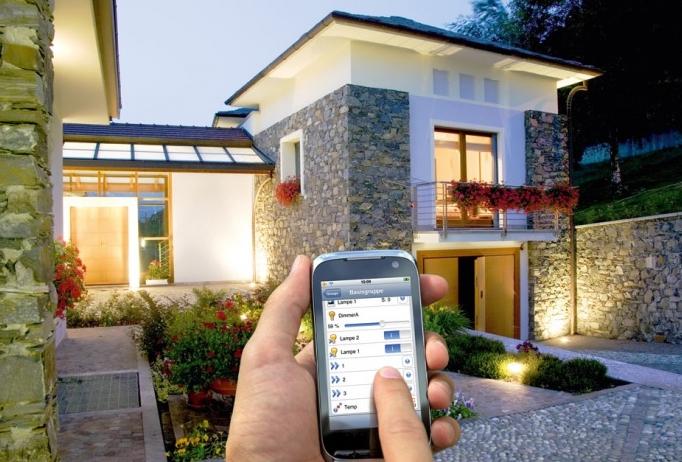
It is possible to set up scenarios through the application without the use of sensors, this further simplifies the system and allows it to be controlled from any mobile device.
Installation of a smart lighting system
Smart lighting is best planned at the stage of building a house or before renovation. Then you can rationally organize the work and lay only the wiring that is needed. As for the options, they are:
- Controlled by a controller – a central node that coordinates not only smart lighting, but also all other systems. It receives sensor signals and controls the operation.
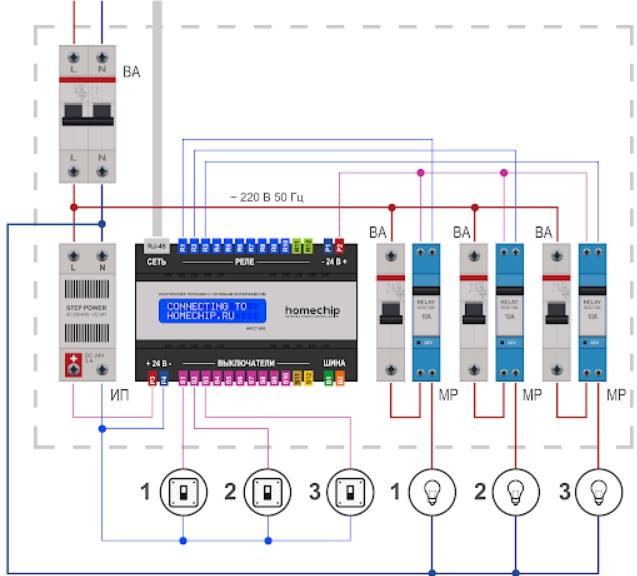
![When installing the controller]() When installing the controller, it is important to draw up a detailed wiring diagram.
When installing the controller, it is important to draw up a detailed wiring diagram. - Use of smart equipment with microcontrollers and own memory.In this case, each lighting element is controlled separately.
- The connection can be made both in the traditional wired way and via wireless networks. The second option is simpler due to the fact that you need to run less wires, but it is important to make the right settings for correct operation.
- It is also possible to use lamps powered by rechargeable batteries, they do not require electricity. The solution has both pluses and minuses, since you have to constantly monitor the level of charge.
It is best to purchase a ready-made kit from one manufacturer, it can be completed later if necessary.
Video: Implementation lighting "Smart home" in an apartment or house.
Lighting in the Smart Home system is easy to organize if you use the recommendations from the review and choose the options that are optimal for a particular room. It is necessary to choose the control methods and switches that provide the greatest comfort.